
Appearance
Use Scraper
Scraper is a kind of script preset in ScrapeFan. It can be run on specific webpages to collect all relevant data with just one click.
Scraper list
You will see some popular Scrapers when you open ScrapeFan extension: 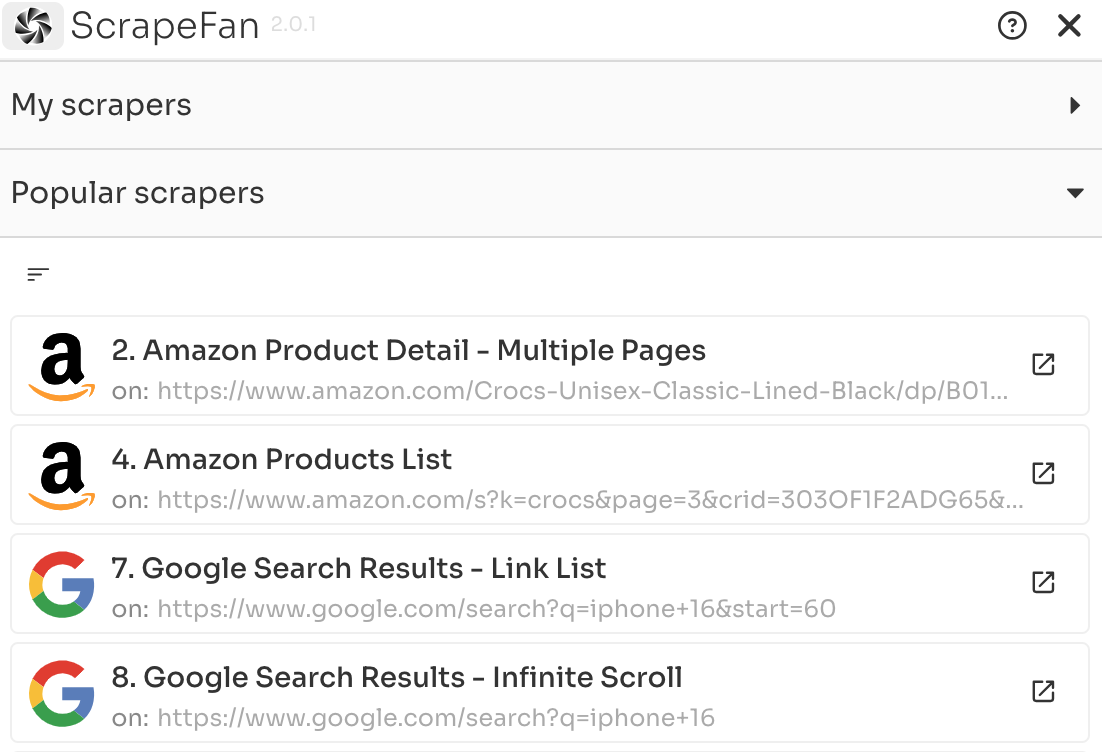
Filter Scrapers of current website using this button : 
Choose the Scraper you need.
Scraper config
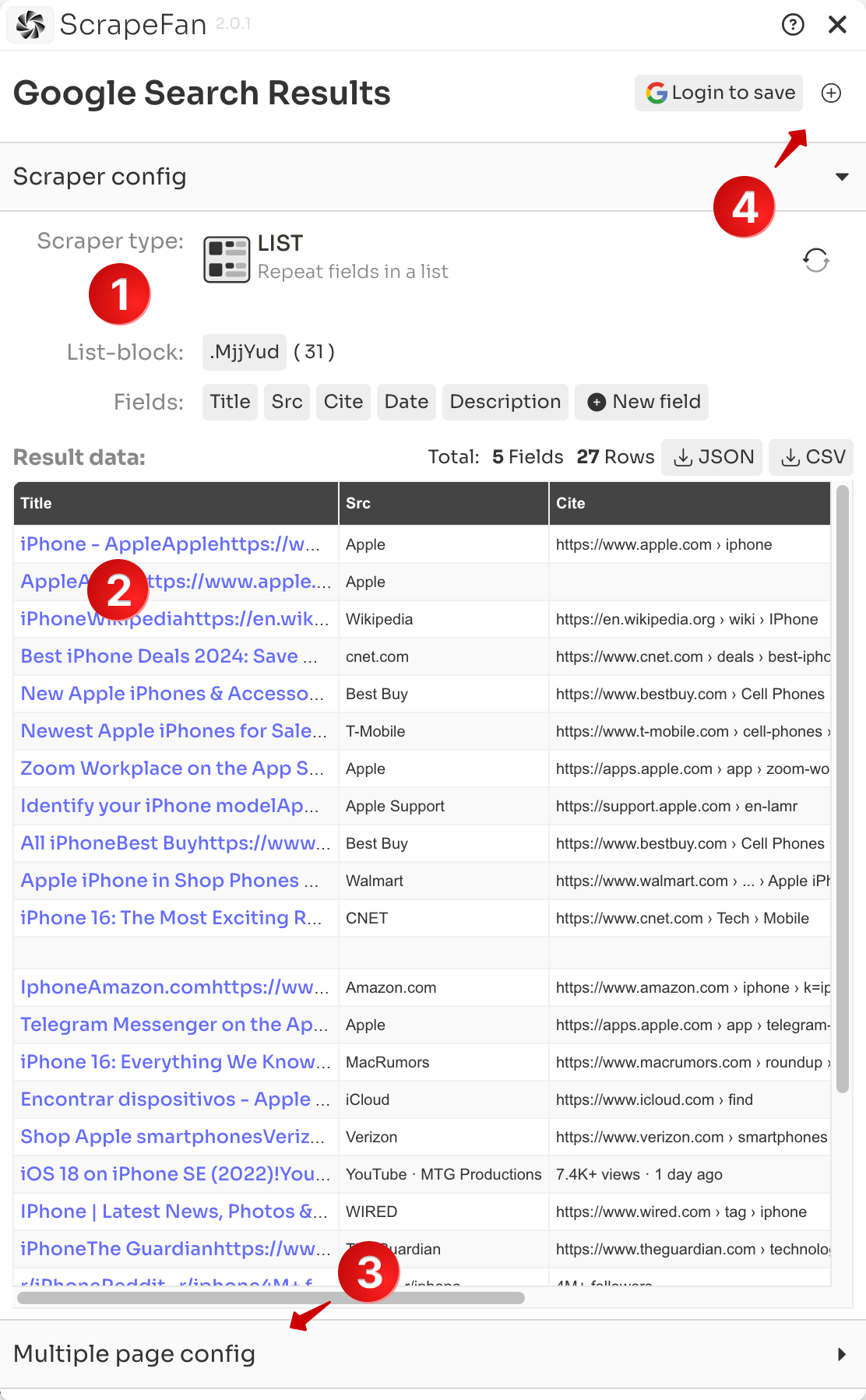
- Scraper is open with basic config panel, You can change some configs like : scraper type, fields title ...
- Data preview of current webpage is here if Scraper is matching.
💡 If not working, go to the matching webpage by button:  , then reopen extension.
- Multiple pages scrape config is here
- Copy and Save Scraper here (need Login with Google account).
Multiple page config
On multiple page config panel: 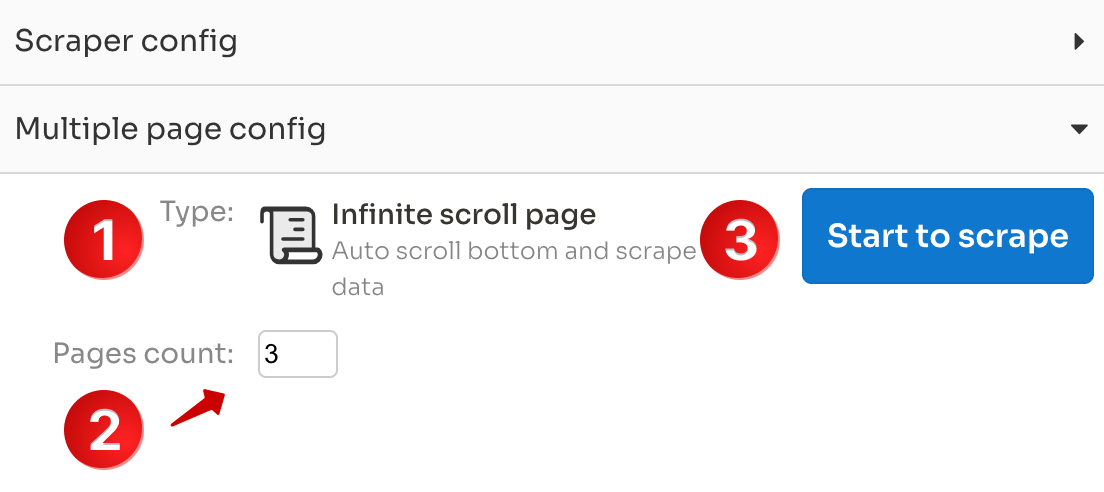
Here you can change pages types:
- Infinite Scroll: pages load more content when scroll to bottom of page.
- Next Button: pages with pagination buttons and click "Next" to go on.
- Link List: pages in a URL list.
Change pages count you want to scrape
Click "Start" to running this Scraper.
Scraping and Download data
When it starts, we will open a new Chrome window to do the job:
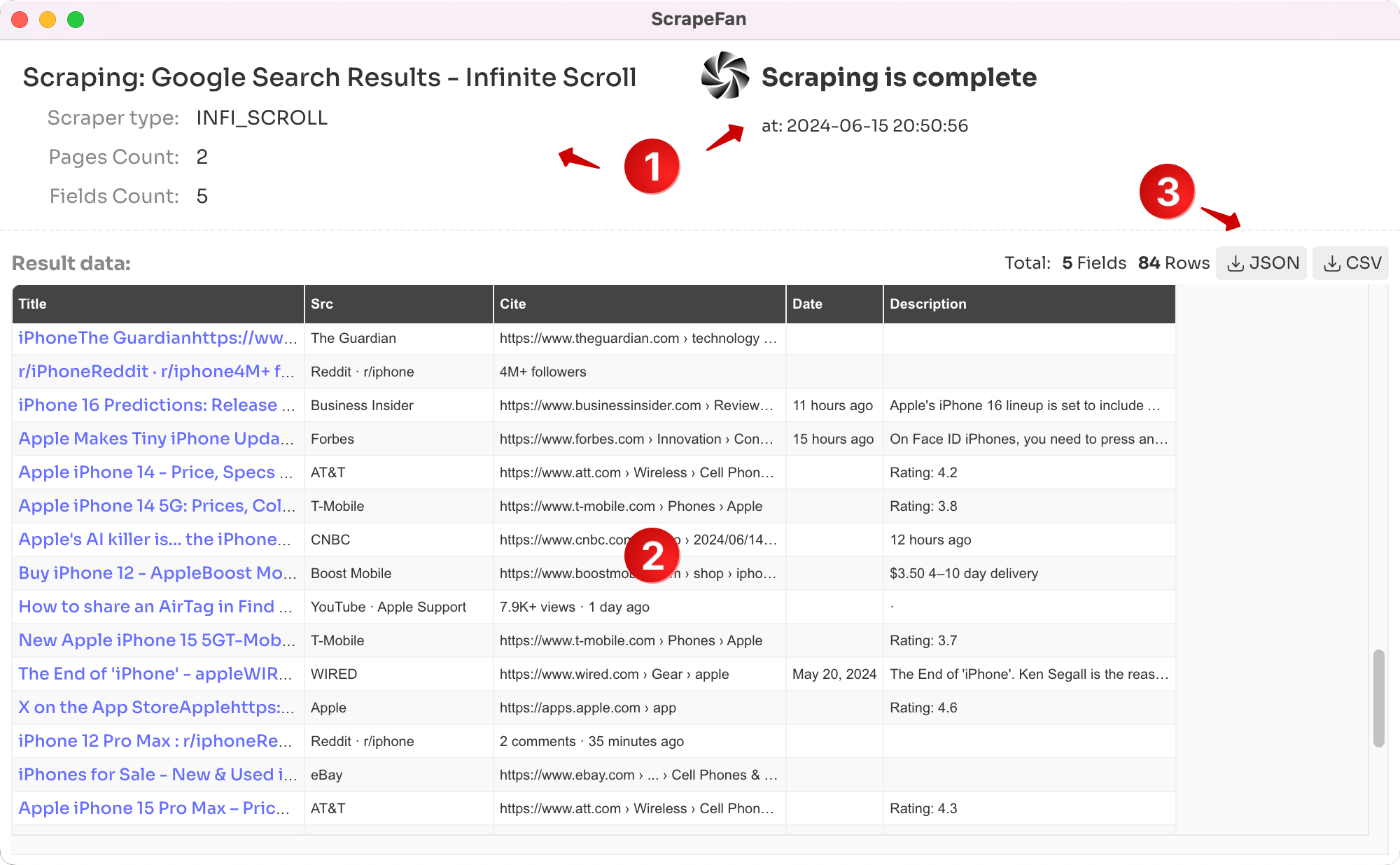
You can see scraping process info in it
Data's real-time preview is also there
When it's complete, you can click to download the data.
That's all , enjoy it! You can also create your own Scraper for any webpage you need.